AnyKanban

Videos

Recordings of AnyKanban in a real Azure DevOps organization with sample work items, one task to a video. Captions come on when a video plays. Under each one is its transcript, with links to a similar board in the live demo and to the guide for the same task.

Business requests and their delivery

From business request to delivery progress

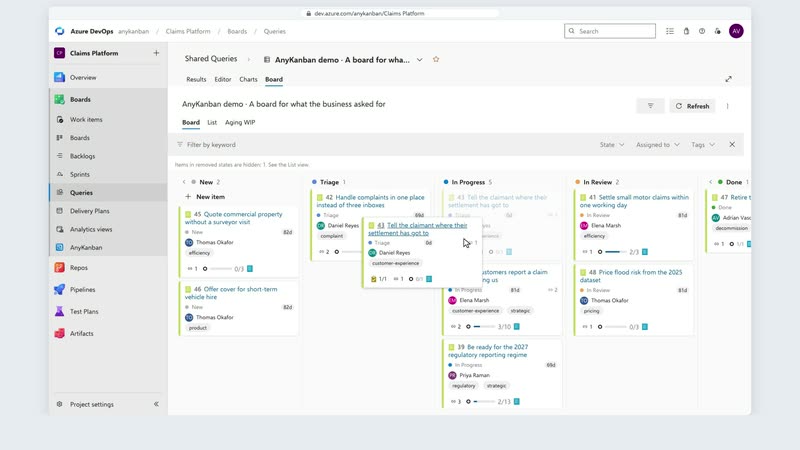
A portfolio manager moves online renewal of motor policies to the top of the list, and its owner follows the request to the work of three teams and decides what goes live in January.

Transcript

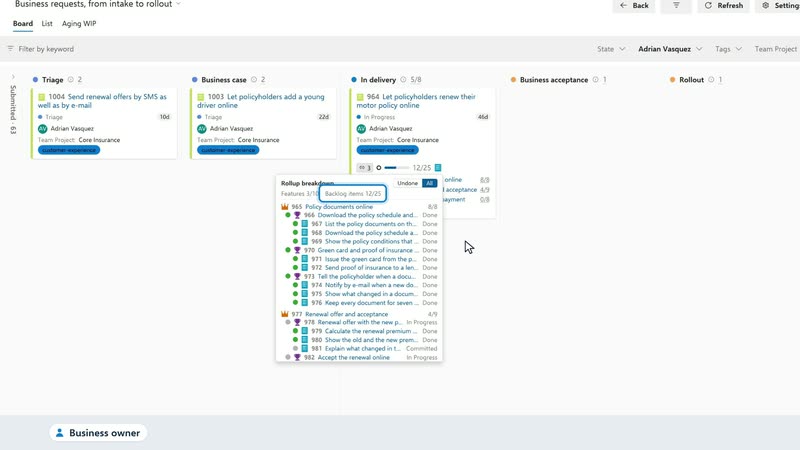
I'm the portfolio manager. Every business request we have is in this list, from claims and from policy administration. Online renewal of motor policies is now our top priority, so I drag it up. Azure DevOps keeps the new order. The board shows where each request stands, and keeps the order I set. Online renewal is now first in delivery. Now I'm the business owner. I filter the board to my own requests. Online renewal is the one I follow most closely: it's in delivery. Three teams deliver it. The portal team has finished policy documents online, and the policy team is halfway through the renewal offer. Online payment, with the billing team, hasn't started. Altogether, three of ten features are done, and twelve of twenty-five backlog items. Every level is linked, from my request down to the teams' work. Renewals start in January, so I decide now: we go live with the payment options we already have, and online payment follows. Priorities, workflow and delivery progress, in one place. AnyKanban. From business requests to delivery visibility.
A business request and the work behind it

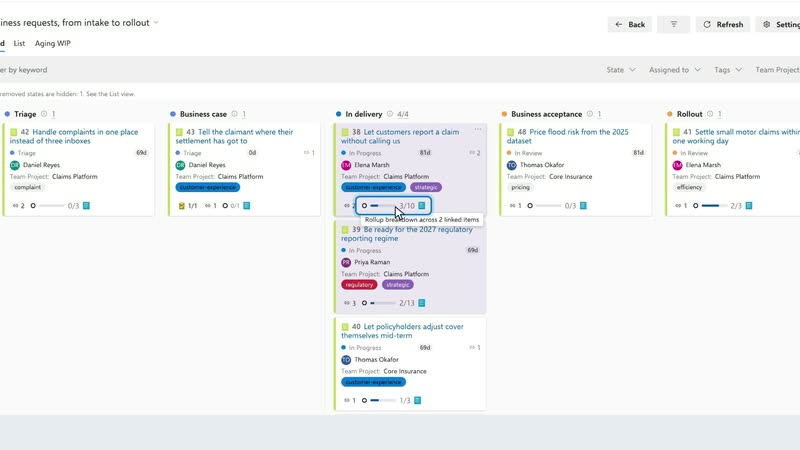
Business requests get a board of their own, where one click on a request's progress lists the features and backlog items that deliver it.

Transcript

This is what the business asked for, on a board of its own. Every request moves through the stages your organization uses, from business case to rollout. Behind each request sits the delivery work. Three of ten backlog items are done on this one. Open the number to see the features and backlog items behind it: what is done, what is in progress, what has not started. Any of them opens in Azure DevOps, so you can see where it stands. Give business requests their own board. Follow the work that delivers them. Try the demo at anykanban.com.

Boards for other work item types and across projects

Support outside the backlog

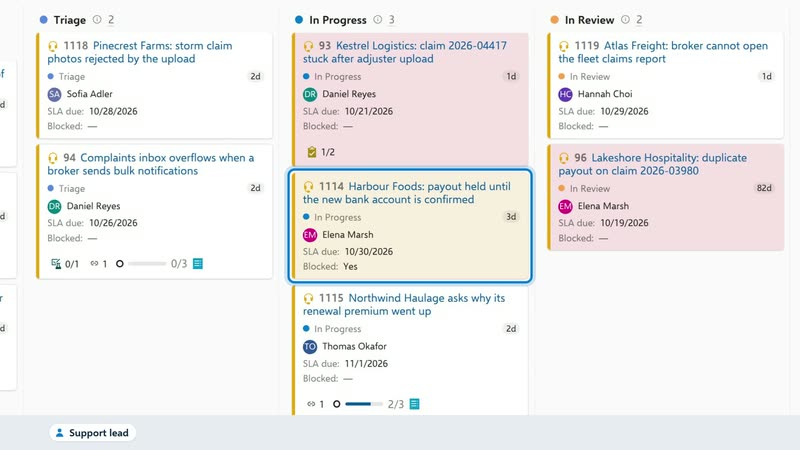
Support requests get their own board, where a late request turns red and one waiting on the customer is marked Blocked on its card without leaving its column.

Transcript

I run customer support. Our requests never reach the development backlog, so they have a board of their own. Every card shows who has it and when its SLA runs out. This one is past its date, so it's red. This one waits for the customer's new bank details, so I mark it blocked, right on the card. It stays in progress, and the whole team can see why it isn't moving. When the answer is in our product, the request is linked to the development work. The policy team is on it: two of three backlog items are done. Try the demo at anykanban.com.

One program across three projects

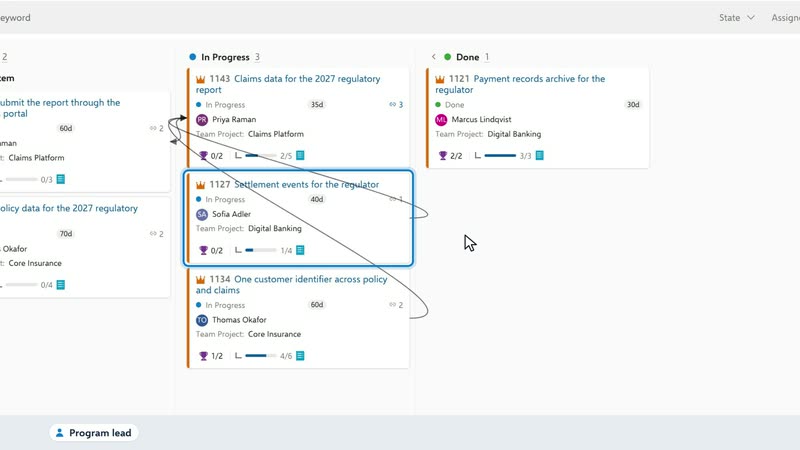
One board holds a regulatory program's epics from three Azure DevOps projects, each showing its progress, and arrows show which epic waits on work in another project.

Transcript

I lead our regulatory reporting program. Its epics live in three projects, and one query puts them on one board. Each epic shows how far its teams have got, counted from the backlog items beneath it. The claims data waits on work in two other projects: settlement events from digital banking, and one customer identifier from policy. Each team keeps its own board. I get one view of the whole program. Try the demo at anykanban.com.

The aging chart and the work that needs attention

Aging at the daily meeting

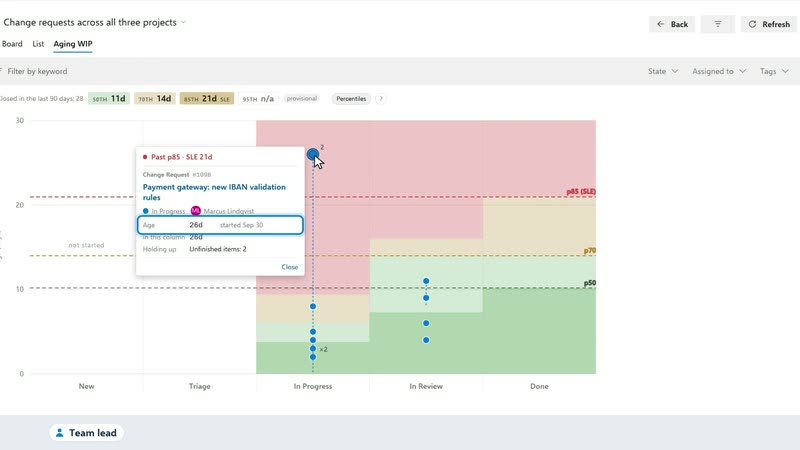
Sixteen changes look alike on the board until the Aging chart points to one: 26 days in progress, holding up two others.

Transcript

Every morning my team meets at this board: sixteen changes across three projects. Which one needs us today? The aging chart answers that. It places every change in progress by its age, against how long our finished changes took. One stands out: twenty-six days in progress, when our changes usually finish within twenty-one. And two other changes are waiting for it. It's waiting for the vendor's test environment. That's the first thing we talk about today. Try the demo at anykanban.com.

Capacity planning

Planning by period

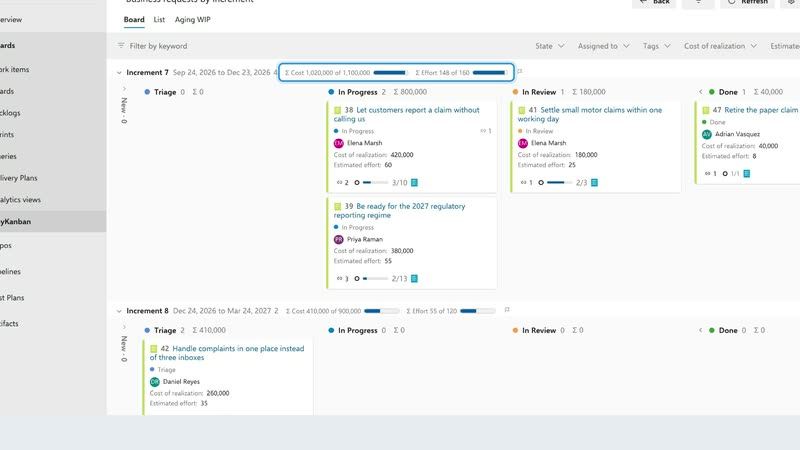
Increment 7 is over its capacity for cost and effort until one request moves to Increment 8, and the totals follow the card.

Transcript

Business requests, planned by increment. Each increment adds up its cost and effort, against a capacity the team set. Increment 7 is over capacity, by a hundred and eighty thousand in cost and twenty-three in effort. Move the complaints request to Increment 8. The totals follow the card. Increment 7 is back within its capacity, and Increment 8 still has room. Try the demo at anykanban.com.

Keeping the backlog in the business's order

Business priorities and the backlog's order

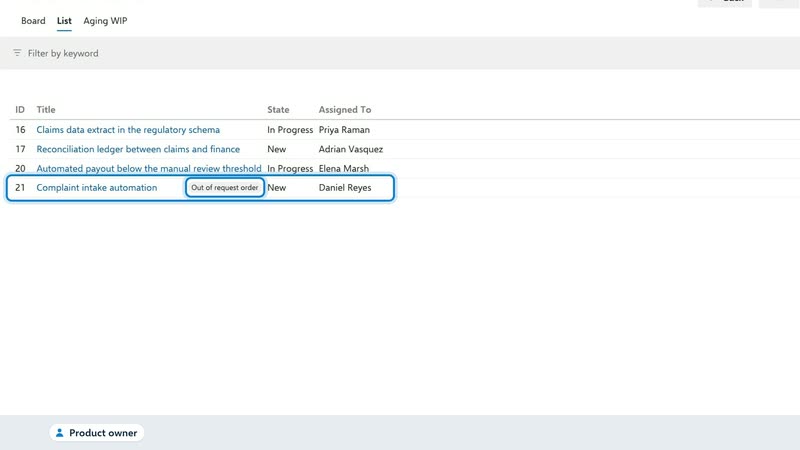
When the business moves a request to the top, Take priorities shows how the backlog would follow and changes nothing until you apply.

Transcript

I'm the portfolio manager. The business ranks its requests here, and today complaints handling moves to the top. Now I'm the product owner. My backlog has an order of its own. When the business reorders its requests, the backlog falls out of step: the feature for complaints is now below work the business ranks lower. Take priorities puts the backlog back in the order of the requests. It shows every change first, and writes nothing until I apply. Now the backlog follows the business's order again. Try the demo at anykanban.com.

Getting started

How it works

A saved query becomes a board inside Azure DevOps, where moving a card or editing it in the native work item form changes the work item itself.

Transcript

These requests already live in Azure DevOps. With AnyKanban, open the query as a board. Move a request to its next stage. Its state changes in Azure DevOps. Open the original work item to update its details. Save, and the board shows the change. Try the demo at anykanban.com.