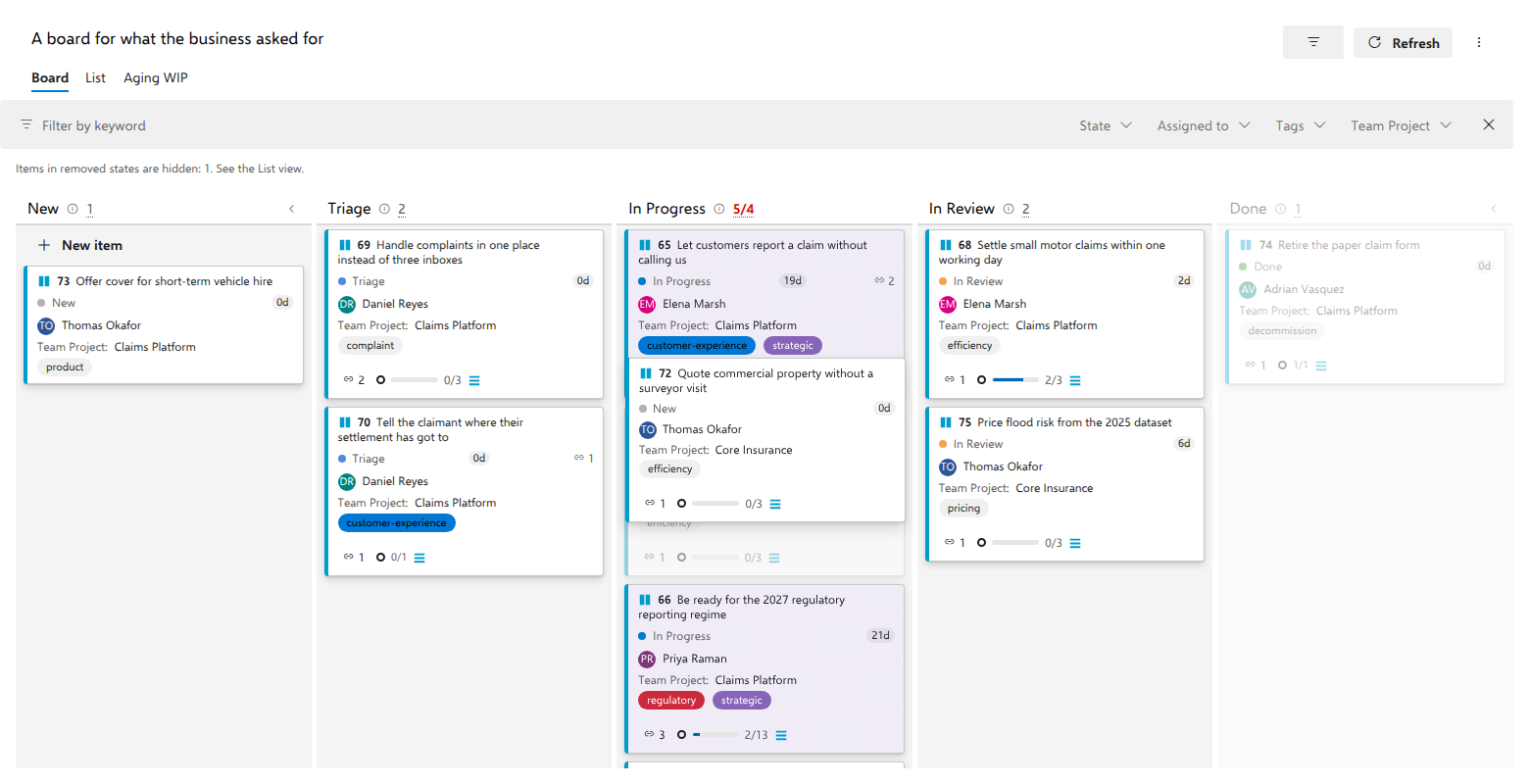
Why a column dims while you drag
Short answer: before you drop, the board has already asked Azure DevOps whether that state would be accepted, for this work item and for you. A dimmed column is the server's own refusal, not a rule AnyKanban read and interpreted.
What the board actually asks
Three moments trigger the question: picking a card up, opening the card's
menu (by right-click or with the card's ... button), and opening the state
picker on the card. The board then asks the server about every other column in
parallel, with would System.State = "In Review" be accepted on this item?,
using validate-only work item updates. The server evaluates its rules and answers;
nothing is written.
Answers are cached per work item revision, so picking the same card up again costs no calls at all. The first pick-up does cost one call per other column: on a six-column board, five.
Why the server answers instead of the extension
Transition restrictions in an inherited process can be scoped to users and groups. A rule that stops you moving an item to Done may not stop the person sitting next to you. Reading the process and reproducing its rules inside the extension would give the wrong answer for half the people looking at the same board, and would need permissions AnyKanban deliberately does not ask for. Asking the server means the verdict is evaluated for the signed-in user, with no rule parsing on our side.
Which refusals dim a column, and which do not
Only a genuine transition restriction dims. The detection is structural: the
rejection has to name System.State and flag the value as not being one of the
allowed values.
A rule that merely requires a field, such as "Reason is required when moving to Done", deliberately does not dim the column. You could satisfy that rule after the drop, so pre-blocking it would take away a move you are entitled to make. Instead the drop is attempted, the server refuses it, and the card reverts carrying the server's own message.
When the check cannot run
Gating fails open. A network problem, rate limiting or an unexpected error shape leaves no verdict at all; columns nobody could ask about count as allowed, and the board falls back to its ordinary behavior: attempt the drop, and revert with the server's message if it is refused. A failed probe never blocks a drag.
What it means in practice
- A restricted column renders at 35 % opacity with the tooltip Transition restricted by process rules. The drag preview never enters it, and releasing the card on it cancels the whole drag: the card returns to where it started, not to the last position the preview showed.
- The same verdicts filter the card menu's Move to column list and the state picker on the card, so neither offers a state the server said it would refuse.
- A move refused without a dim was a different kind of rule. Open the item's form, satisfy what it asks for, and set the state there.
- There is no switch that turns gating off, deliberately: the verdicts are the server's own, evaluated for you, and they fail open: when a check cannot run, nothing dims, the drop is simply attempted, and a rejection reverts the card with the server's message.
- No probes run in an as-of snapshot: the snapshot is read-only, so there is no drag to gate.