Cap work in progress in a column
Your team agreed that at most four business requests are worked at once. Put that number on the board, so In Progress says by itself when the agreement has been broken, instead of someone counting cards in a stand-up.
Before you start
A named board in the AnyKanban hub. The ad-hoc Board tab on a query's results has no settings panel, so it has no WIP limits either. On a board outside My boards you need to be able to change it: the person who created it, a project administrator, or on a board in a team's group, one of that team's administrators (see Who can change a board).
Steps
- Open the board and select Settings.
- Open Columns in the left rail, under Board. If it reads Select a work item type on the General tab first., choose the type on General and come back.
- Select the column in the strip of column tabs, say In
Progress, and type
4into the WIP limit box that appears below it. - Set limits on the other columns you care about the same way, selecting each one in the strip first; leave a box empty for No limit.
- Select Save.
What you should see
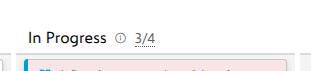
The column header now reads count/limit instead of a plain count: 3/4
while the agreement holds, 5/4 in bold red as soon as the count is strictly
greater than the limit. Nothing is blocked: cards can still be dropped into an
over-limit column. The limit is a signal, not a gate.
You can also set or change a limit without opening the panel: on a named board that keeps its own columns, every column's counter is a button, whether or not it already carries a limit. Select it (or press Enter on it), type the number and press Enter. Escape cancels, and so does clicking away. A value that is not a positive integer clears the limit. The new limit is saved with the board itself, so on a board filed for a team or for the whole project it changes for everyone who opens it, and on a board in your own list it changes only for you. On a shared board you cannot change, the counter is still a button, but selecting it tells you who can change the board and leaves the limit as it is. A board that wears a team's own columns takes that team's WIP limits too, and they are changed on the team's board.
Notes
The count is every item in that column, not what your keyword filter leaves visible, because a limit measures real work in progress rather than what you happen to be looking at. With swimlanes on, each lane row's header shows that lane's own count, and beside it the whole column's count against the limit, the same in every lane. The counter is not editable from a lane row or during an as-of snapshot.